

Blooket has become a popular way to make classroom learning more interactive by combining educational questions with competitive game mechanics. Instead of simply answering questions on a worksheet, students can participate in different game modes, earn rewards, and compete with classmates while reviewing a subject. One of the simplest ways to enter a live session is through a game code provided by the person hosting the game. This makes joining relatively quick, even for students who do not have their own Blooket account.
When people search for blooket codes, they are usually looking for an active code that can be entered into the Blooket joining screen. However, these codes should not be treated like permanent passwords. A game code is associated with a particular live session, meaning a code found online may no longer work if the game has ended or the host has stopped the session. Blooket’s official student guidance explains that players can join a live game using a game code, QR code, or shared join link.
Understanding how these codes work is therefore more useful than searching for a random list of old numbers. Once players know where the code comes from, how to enter it, and why some codes stop working, joining a live Blooket game becomes much easier.
What Are Blooket Codes?
Blooket codes are temporary game identifiers generated when a host starts a live Blooket session. The host selects a question set and a game mode before starting the session. Once the game is ready, students can use the displayed game code to enter the session from the Blooket joining page. The official Blooket help documentation describes the game code as one of the methods students can use to join a live game.
The important point is that these codes are connected to specific games. They are not permanent codes that unlock Blooket or provide unlimited access to every game mode. A teacher may generate a different code for another class, another lesson, or another session. This explains why a code that worked earlier may later display an error. For students looking for blooket codes, checking the current code supplied by the host is usually much more reliable than relying on an old code posted somewhere else.
How Blooket Game Codes Work
The process starts with a host creating a game. Blooket’s hosting instructions explain that the host first chooses a question set, selects a supported live game mode, adjusts available settings, and then starts the session. Students can subsequently join using the displayed game code, QR code, or shared join link.
This system is useful in classrooms because the teacher does not need to manually add every student to the game. Instead, students receive the code and enter it themselves. Depending on the host’s settings, players may also enter a nickname or receive a randomly generated name before selecting a Blook and waiting for the game to begin.
Where to Enter Blooket Codes
Students joining a live session can use Blooket’s game-joining page and enter the code supplied by the host. The official Blooket instructions identify the game code as one of the main methods for joining a live session. Players can also join by scanning a QR code or clicking a join link when the host provides one.
After entering a valid code, the player is normally taken into the waiting area for that game. The player can then enter a nickname if the host allows it and choose a Blook while waiting. When the host starts the session, the questions and selected game mode become available. This means that searching for blooket codes is only the first part of the process; the code must also correspond to an active game.
Simple Joining Methods
There are several ways students can enter a live Blooket session:
- Enter the current game code on the Blooket joining page.
- Scan the QR code displayed or shared by the host.
- Use a join link supplied by the teacher or host.
- Enter a nickname and select a Blook before the game begins.
The availability of these options can make Blooket convenient for both physical classrooms and remote learning. A student does not necessarily need to type a long web address when a teacher provides a QR code or join link.
Why Some Blooket Codes Do Not Work
One of the most common problems with blooket codes is assuming that every code found online is still active. A live game code is connected to a particular session, so an old code may no longer take a player into a game. If the host has ended the game, the session is no longer available to join in the same way.
Another possibility is that the code was entered incorrectly. Game codes contain numbers, so typing even one incorrect digit can prevent the system from identifying the intended session. Students should carefully compare the code shown by their teacher or host before trying again.
Technical problems can also interfere with joining. Blooket’s support documentation notes that browser extensions and certain network restrictions can affect parts of the site’s functionality. The company specifically recommends checking whether extensions such as ad blockers are interfering and notes that access to parts of its backend may also be affected by network restrictions.
How to Get a Current Blooket Code
The most dependable source for a current game code is the person hosting the game. In a classroom, that is normally the teacher. A teacher starts the game and provides students with the code, QR code, or join link. Because the code belongs to that particular session, the host can provide the most accurate information.
Students searching for blooket codes should therefore be careful with websites or social media posts claiming to provide large collections of “working” codes. Even when a number was valid when posted, it may no longer correspond to an active game. There is no reason to assume that an old code will remain available indefinitely.
For independent practice, Blooket also provides solo gameplay options. Its student guide explains that users can select question sets and play available modes independently, which does not require waiting for a teacher to provide a live game code.
Do You Need a Blooket Account to Join?
A student does not necessarily need an account to participate in a live Blooket game. Blooket’s official support documentation states that students can join a live game using the Game ID, QR code, or link without logging in.
However, an account can provide additional features. According to Blooket, students who create accounts can unlock Blooks, track statistics, and play solo games. This creates a distinction between simply joining a classroom session and maintaining a personal Blooket profile.
For someone who only wants to participate in a teacher-hosted activity, joining without an account can be convenient. Students who regularly use the platform may find account-based features more useful because their progress and available customization options can be connected to their profile.
Blooket Codes and Different Game Modes
Blooket is not limited to one type of educational activity. The platform supports multiple game modes, allowing hosts to select an experience that fits the lesson. Blooket’s current hosting documentation lists live modes including Monster Brawl, Deceptive Dinos, Gold Quest, Crypto Hack, Fishing Frenzy, Blook Rush, Battle Royale, Tower Defense, Cafe, Factory, Racing, and Classic.
This variety is one reason game codes are useful. The code does not determine the educational topic by itself. Instead, it connects the player to a particular session where the host has already selected the question set and game mode. A mathematics session and a vocabulary session can therefore use the same general joining process while providing completely different gameplay.
| Blooket Feature | How It Works |
|---|---|
| Game Code | Connects a player to a specific live session |
| QR Code | Lets players scan and join without manually typing the code |
| Join Link | Opens the shared game directly |
| Nickname | Identifies the player during the game |
| Blook | Provides a visual character for the player |
| Question Set | Supplies the educational questions |
| Game Mode | Determines the gameplay experience |
Tips for Joining a Live Blooket Game
If you are trying to use blooket codes and the game does not open, start by confirming the code with the host. This is more effective than repeatedly trying random codes found elsewhere. Next, check that you are using the correct Blooket joining page and that your browser has a stable internet connection.
It is also worth checking whether the game has already started or ended. Some hosts can enable late joining, but this depends on the settings selected when the game was created. Blooket’s documentation confirms that hosts can allow students to join after the game has begun.
If technical problems continue, consider temporarily checking browser extensions or network restrictions. Blooket’s support information specifically identifies browser extensions and certain network configurations as possible causes of problems with joining or hosting games.
Are There Permanent Blooket Codes?
There is an important difference between a game code and an account or access credential. Blooket game codes are intended to identify live sessions rather than permanently unlock the platform. Therefore, a list claiming to contain permanent blooket codes should be viewed carefully.
A code can become useless when the associated game is no longer active. This is why current classroom codes generally come directly from the host. Searching for a code that is currently being used by an unknown player can also be unreliable because there is no guarantee that the session is still available or appropriate for the person attempting to join.
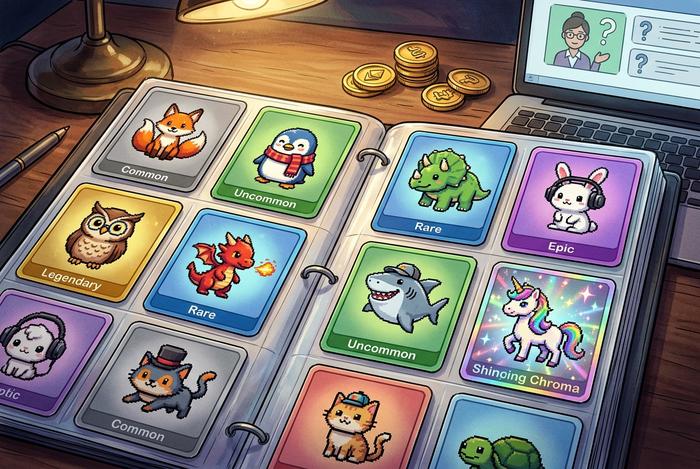
For students who want to play without a live classroom session, Blooket offers independent gameplay using question sets from its library. The official student guide says that users can browse millions of question sets, choose one, select Solo, and then select a game mode.
Using Blooket for Learning
Blooket codes are only one part of the platform’s educational experience. The actual learning value comes from the question set and the way the host organizes the activity. A well-designed question set can turn revision into a more interactive experience while giving students immediate opportunities to apply what they have learned.
The platform also provides reports after games, allowing educators to examine performance and identify areas where students may need additional review. Blooket describes its system as combining gameplay with feedback and reports, giving teachers a way to connect an entertaining activity with classroom learning.
This approach makes the platform useful beyond simple competition. For example, a teacher could use a Blooket game at the end of a lesson to review vocabulary, mathematics concepts, science terminology, or historical facts. Students can participate through the same joining process while the underlying questions change according to the lesson.
Conclusion
Blooket codes provide a straightforward way to enter live educational games, but they should be understood as temporary game identifiers rather than permanent access codes. The most reliable way to get an active code is directly from the teacher or host who created the session. Players can then enter the current code, scan a QR code, or use a shared join link to participate. For anyone searching for blooket codes, knowing how the system works is more useful than collecting old numbers from the internet. Codes can stop working when their associated games end, while technical problems can sometimes prevent an otherwise valid session from loading. Checking the current code, using the official joining process, and confirming the game is still active can solve many common problems.


