

Interactive classroom games have become a popular way to make learning more engaging, and Blooket is one platform that combines quizzes, competition, and game-based activities. Instead of simply answering questions on a worksheet, students can participate in different game modes while responding to questions. A major part of this experience is the ability to join a hosted game using a short code. Understanding how these codes work can make joining a session much easier, especially for students who are new to the platform.
When people search for blooket codes, they are usually looking for the code required to enter a particular live game. However, it is important to understand that these codes are generally connected to individual game sessions rather than being permanent passwords that work indefinitely. A host creates or starts a session, and players use the provided code to enter that specific activity.
The process is designed to be straightforward, but players can sometimes encounter expired codes, incorrect entries, waiting screens, or sessions that are already full or closed. Knowing what a game code represents and how the joining process works can help players avoid unnecessary confusion.
What Are Blooket Codes?
Blooket codes are short game-session codes that allow players to join a Blooket activity hosted by another person. In a typical classroom situation, a teacher or game host starts a session and provides the participating students with the code. Players then enter the code through the appropriate Blooket joining interface and continue through the steps required to enter the game.
A code is associated with a particular session. This means that players should not assume that a code found somewhere online will automatically work. If the corresponding game is no longer active, the code may no longer allow entry. This temporary nature is important because it explains why some codes work immediately while others appear to be invalid.
The code itself does not normally represent a specific question set permanently. Instead, it helps connect a player with an active game session. Once the player enters successfully, the host controls the session, including the selected game mode and question set.
How Do Blooket Game Codes Work?
The basic system behind blooket codes is relatively simple. A host prepares a Blooket game and launches a session. Once the session is active, players receive the joining information. The code acts as an identifier that directs participants toward that particular game.
After entering the code, a player may be asked to provide a nickname before joining. Depending on the session settings, the player may then see a waiting area until the host begins the game. This creates a synchronized experience where multiple players can participate in the same activity.
Because the code belongs to a live session, its usefulness depends on the host’s activity. If the host ends the session or the game becomes unavailable, the same code may not work later. This is why players should normally obtain the code directly from the teacher, host, or organizer rather than relying on old codes posted elsewhere.
Why Codes Can Stop Working
There are several ordinary reasons a player may be unable to enter a game. The most common explanation is simply that the session is no longer active. A player may also have entered one or more characters incorrectly, particularly when the code is communicated verbally or copied incorrectly.
Another possibility is that the host has not started the game yet or has changed the session. In that situation, the player may need to wait for updated instructions. These situations are not necessarily signs that the platform is malfunctioning; they can simply reflect the temporary nature of game sessions.
How to Join a Blooket Game
Joining a game generally involves receiving a current code from the host and entering it through Blooket’s designated joining process. The player should carefully check each character before submitting the code because even a small mistake can prevent successful entry.
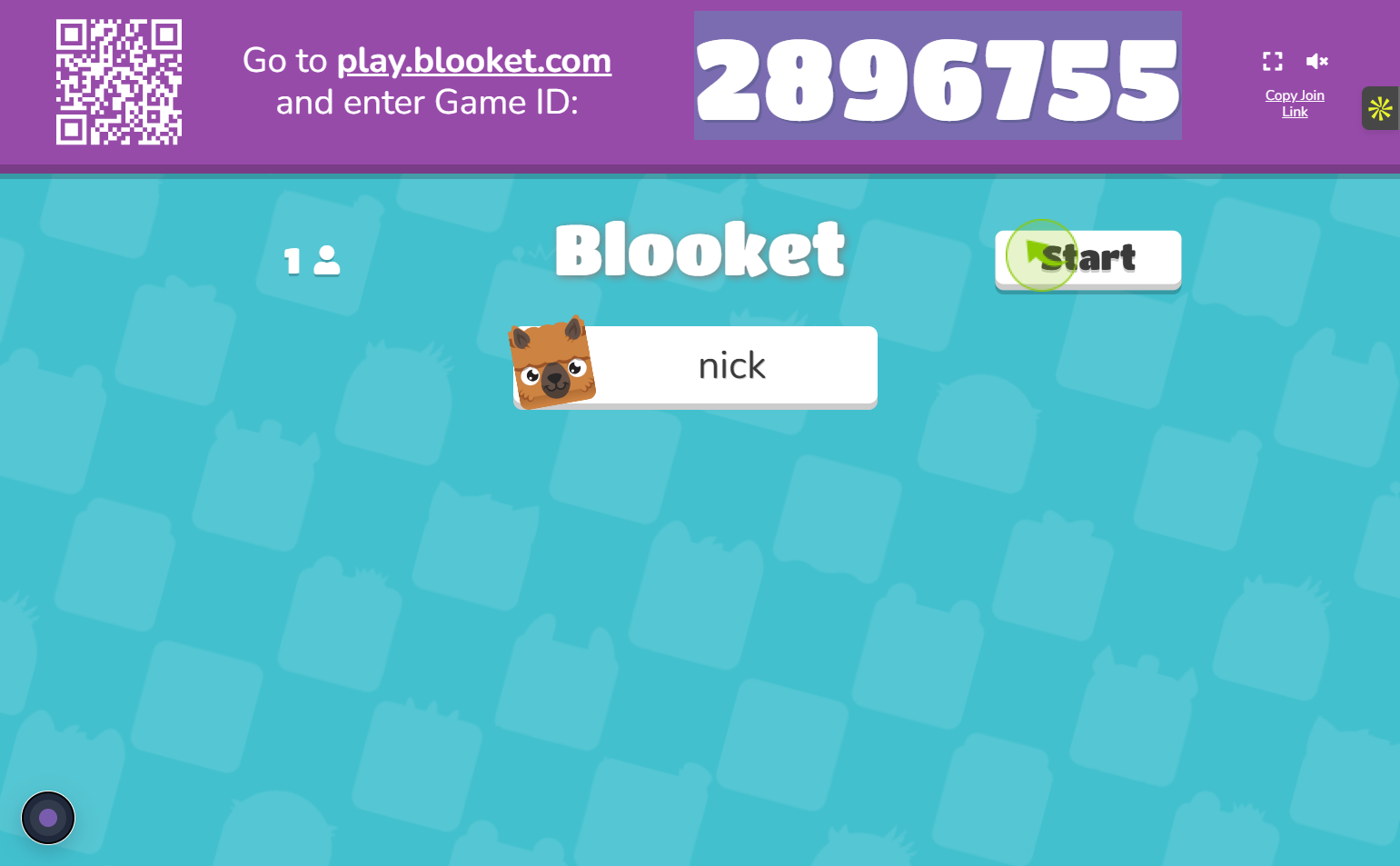
Once the code has been accepted, the player may need to enter a nickname or follow additional on-screen instructions. The exact appearance of the interface can change as platforms update their designs, but the overall concept remains the same: the host provides session information, and players use it to enter.
Players should also remember that joining a game does not mean they are controlling the activity. The host generally determines when the game begins and which game mode is being used. Students therefore need to remain on the appropriate screen and wait for the host’s instructions.
Common Reasons Blooket Codes Do Not Work
When blooket codes fail, checking a few basic possibilities can often identify the problem quickly. Since session codes are temporary, an expired or closed game is one of the first things to consider. Players should ask the host whether the session is still active before repeatedly attempting to enter.
Typing errors are another common issue. A code can be difficult to enter correctly when several players are trying to join quickly. Checking the characters carefully and entering the code exactly as provided can eliminate simple mistakes.
Some common situations include:
- The game session has ended.
- The code was entered incorrectly.
- The host has created a new session.
- The player is using outdated joining information.
- The game has not yet been started by the host.
It is also possible that a temporary browser or connectivity problem is affecting the joining process. Refreshing the relevant page or checking the internet connection may help, but players should avoid repeatedly refreshing if the host has already started the activity and has given specific instructions.
Blooket Codes and Live Classroom Games
One of the most useful applications of blooket codes is classroom participation. Teachers can use game-based activities to review concepts after a lesson, introduce a topic, or provide students with a more interactive way to practice questions.
For example, a teacher might prepare a question set about mathematics and launch a game at the beginning of a revision session. Students receive the current game code and join from their own devices. Rather than completing the same questions independently on paper, students can experience the material through a competitive or collaborative game format.
This approach can also make short revision sessions more engaging. A teacher may use a Blooket activity near the end of a lesson to identify topics that students understand well and areas that may require further explanation. The code simply provides the connection between the students and that particular session.
Understanding Different Blooket Game Sessions
Not every Blooket session has the same purpose. The platform offers different game modes and activities, so the experience after entering a code can vary depending on what the host has selected.
A player may therefore see different interfaces, objectives, scoring systems, or gameplay mechanics from one session to another. The joining code itself does not tell the entire story. It primarily provides access to the active session, while the host’s chosen settings determine what happens after joining.
This distinction is useful for new players. Someone may expect every game to work exactly like a previous session, only to discover that the rules or interface are different. Reading the instructions presented after joining and listening to the host can prevent confusion.
How Hosts Create Useful Game Sessions
For teachers and other hosts, the quality of the game depends on more than simply generating a code. The question set, difficulty level, game mode, timing, and classroom goals all influence the experience.
A well-prepared session should match the learners’ current level. Questions that are excessively easy may provide little educational value, while questions that are far beyond the students’ understanding can make the activity frustrating. A balanced question set can make the game both educational and enjoyable.
Hosts should also communicate the current blooket codes clearly. If a session changes, students should be told that the previous code may no longer be valid. This simple communication step can save time, particularly when a large group is attempting to join simultaneously.
Are Blooket Codes Permanent?
In most situations, players should not treat blooket codes as permanent access keys. Their purpose is connected to individual game sessions, meaning their usefulness depends on whether the associated session is still available.
This is why searching for random codes from older sessions may not produce useful results. Even if a code was valid when it was originally shared, the corresponding game may have ended. The most reliable approach is to obtain the current code directly from the person hosting the activity.

The temporary nature of these codes also makes sense from a classroom management perspective. Teachers can create separate sessions for different lessons or groups without needing to maintain one permanent code for every activity.
Blooket Codes vs. Game Content
It is useful to distinguish the joining code from the actual educational content. The code helps a player access a session, while the question set contains the material that participants are expected to answer.
For instance, a teacher could use a question set about vocabulary in one session and mathematics in another. The codes for those sessions can be different even when the teacher uses the same account and platform. This allows the host to organize activities according to different lessons, classes, or occasions.
The distinction also explains why a player cannot generally determine the entire content of a game simply from its code. The session’s configuration and question set are controlled separately from the short identifier used for joining.
Tips for a Smooth Blooket Experience
Players can avoid many common problems by following a few simple habits. The most important is to use the current code provided by the host rather than relying on an old code found in a previous message or online discussion.
It is also helpful to make sure the device has a stable internet connection before joining. If many students are participating simultaneously, temporary connection issues can make the experience less smooth. Keeping the browser updated and closing unnecessary tabs can also reduce distractions during the activity.
| Situation | What to Check |
|---|---|
| Code is rejected | Confirm every character is correct |
| Game cannot be found | Ask whether the session is still active |
| Waiting screen appears | Wait for the host to begin |
| New code is announced | Use the latest code instead of the old one |
| Connection is unstable | Check the internet connection and browser |
The goal is not to memorize permanent codes but to understand how the session system works. Once players know that codes are generally tied to active games, many common problems become easier to diagnose.
Why Blooket Remains Popular for Learning
Game-based learning can give students a different way to interact with educational material. Instead of focusing entirely on traditional question-and-answer formats, platforms such as Blooket combine questions with game mechanics. This can make review sessions feel more interactive.
The value of such activities still depends on how they are used. A game should support learning rather than completely replace explanation, practice, or discussion. Teachers can use interactive quizzes as one part of a broader lesson plan, particularly when students need additional practice with recently introduced material.
For students, the game format can also provide immediate engagement. Answering questions while participating in a structured activity can encourage attention and make revision feel less repetitive.
What Players Should Know About Publicly Shared Codes
People sometimes search online for blooket codes that they hope will provide immediate access to a game. However, publicly shared codes can become outdated quickly because they are connected to specific sessions.
A code posted hours, days, or weeks ago may no longer have any connection to an active game. Players should therefore be cautious about expecting every code they encounter online to work. A current code from the actual host is generally the relevant information for joining a live session.
This is particularly important for students who are trying to join a teacher’s activity. If the provided code does not work, contacting the host is usually more useful than searching through unrelated lists of older codes.
Conclusion
Blooket codes play a simple but important role in connecting players to live Blooket game sessions. They function as temporary identifiers that help participants enter a particular activity created and managed by a host. Because sessions can end or change, a code that worked previously may not remain useful indefinitely. Understanding this system makes the joining process much easier. Players should use the latest code provided by the host, enter it carefully, follow the on-screen instructions, and remain aware that different sessions can have different game modes and rules. When a code does not work, checking whether the session is still active and confirming the information with the host are sensible first steps.


