

Online learning has become more interactive as teachers and students look for creative ways to make lessons enjoyable. Quiz-based platforms are a popular part of this change because they combine questions, competition, and game mechanics in one experience. Blooket is one such platform, allowing teachers to turn educational questions into activities that students can play individually or with classmates. Instead of answering questions on a traditional worksheet, participants can test their knowledge while enjoying a game format that makes learning feel more engaging.
Blooket codes are an important part of joining these activities. A game code allows participants to enter a live session hosted by a teacher or another game host. Students generally need a valid code for the specific session they want to join, along with any additional information requested by the game. However, understanding how these codes work is essential because not every code remains usable indefinitely. A session may close, a host may end the game, or a code shared earlier may no longer work.
Whether you are a student preparing to participate in a classroom activity, a teacher organizing a revision session, or a parent exploring educational games, learning the joining process can save time. Understanding session availability, account requirements, privacy, and troubleshooting can also help you enjoy a smoother experience.
What Are Blooket Codes?
Blooket codes are numeric game identifiers that help players enter a particular hosted game session. When a teacher creates and starts a live activity, the platform can provide a game ID that participants use to access that session. Players enter the code in the designated joining interface and follow the instructions displayed on their screens. Once admitted, they can participate in the quiz or game selected by the host.
It is important to distinguish a live game code from an account password, a permanent membership number, or a special reward code. A session code is intended to connect a participant with a particular game, not to provide unrestricted access to the platform. Its usefulness depends on the host’s session remaining available and the code being entered correctly. This is why a code that worked during a morning classroom lesson may not help someone attempting to join an unrelated game later in the day.
Another important point is that a working code does not necessarily reveal which questions will appear or which game mode the host has selected. The host controls the activity, including its question set and game settings. Players should therefore obtain the session information from the person organizing the activity rather than assuming that every shared code leads to the same experience.
How to Join a Live Blooket Game
Joining a hosted session is generally straightforward when the game is active and the host has provided the correct information. Students should use a compatible browser or device, enter the game ID carefully, and complete any identification step requested by the session. Depending on the host’s settings, players may be asked to choose a nickname before entering the game.
The following process explains the usual steps:
- Open the Blooket game-joining interface in your browser.
- Enter the session code supplied by the teacher or host.
- Provide a nickname or other requested information.
- Follow the on-screen instructions and wait for the host to begin or continue the activity.
After joining, participants should read the instructions for the selected game mode. Some activities emphasize answering questions quickly, while others use correct answers to earn in-game resources or make strategic decisions. Understanding the rules before playing can prevent confusion and help students focus on the educational material.
If the session requires approval or has specific entry settings, follow the instructions provided by the host. Avoid repeatedly submitting different codes from unverified sources, as doing so may waste time without solving the underlying problem.
Where Can You Find Active Game Codes?
The most dependable way to obtain a usable game code is to ask the person hosting the session. Teachers may display the code on a classroom screen, share it through an approved learning management system, or communicate it directly to students. For a remote lesson, the host may provide joining instructions during a video meeting or through the class’s usual communication channel.
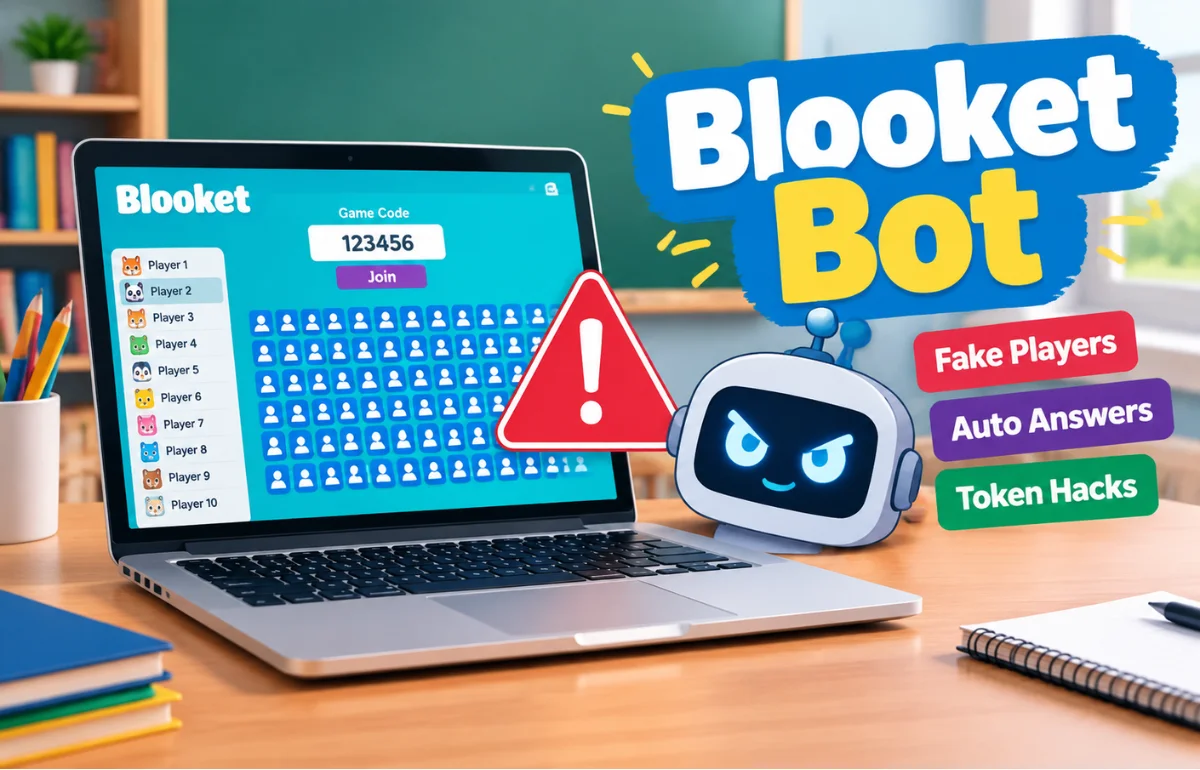
Public discussions sometimes contain codes from previous games, but these should not automatically be considered active. Live session identifiers are associated with individual hosted activities, and their availability can change when a game ends or the host closes the session. A code posted online without a clear explanation of its origin may be expired, inaccurate, or unrelated to the activity you want to join.
Students searching for Blooket codes should focus on finding a legitimate active session rather than collecting random numbers. If a friend shares a code, confirm that the host is still running the game and that outside participants are permitted to enter. Classroom activities may be intended only for enrolled students, so the host’s participation rules should always take priority.
Why Some Game Codes Stop Working
A joining problem does not necessarily mean that the platform is malfunctioning. Several ordinary situations can prevent a player from entering a game, and identifying the cause is usually more useful than trying random codes. A session might have ended, the code might have been copied incorrectly, or the host might have changed the activity before the participant attempted to join.
| Problem | Possible reason | Practical solution |
|---|---|---|
| Invalid code message | Typing error or incorrect session ID | Recheck the code with the host |
| Game not available | The session has ended | Request a new active session |
| Unable to enter | Host settings restrict participation | Ask the host for instructions |
| Page does not load | Browser or connection issue | Refresh the page and check connectivity |
| Joining process stalls | Temporary browser or platform issue | Retry after a short wait |
Typing carefully is especially important when a code is communicated verbally or displayed briefly on a screen. If you are copying it from a message, check that no digits have been omitted or added. When the same code repeatedly fails, contact the host before assuming that a technical problem exists.
Browser issues can also affect the joining experience. A weak internet connection, an outdated browser, or temporary service disruption may prevent the game interface from loading correctly. Refreshing the page, checking the connection, or trying an updated browser can help. If the issue continues across devices, the host may need to confirm that the session is still running.
Understanding Different Blooket Game Modes
Blooket combines educational questions with different styles of gameplay. The experience can change considerably depending on which mode the host chooses. Some formats reward quick and accurate answers, while others introduce progression systems, competition, or resource management. This variety allows teachers to select an activity that matches the lesson and the age or experience of their students.
For example, a class revising vocabulary may benefit from a mode that encourages repeated question practice. A mathematics lesson could use a competitive format to motivate students to solve problems accurately. A teacher reviewing historical dates might select a game that encourages participants to remain attentive throughout several rounds. In each case, the educational value comes from the relationship between the questions and the gameplay, not simply from winning.
Before entering a session, students should remember that the host determines the activity. A joining code does not allow participants to select a different game mode or change the teacher’s settings. If the goal is to practise a particular subject, ask the host which topic the activity covers so that you can prepare appropriately.
Benefits of Using Blooket for Learning
One reason teachers use interactive quiz platforms is that they can make revision feel less repetitive. Traditional question-and-answer exercises remain useful, but adding a game structure can encourage students to participate more actively. The combination of immediate responses, visible progress, and a shared classroom activity may help learners stay focused during revision.
Another benefit is the opportunity to identify topics that need further explanation. When students repeatedly struggle with a particular question, the teacher can use that response as a starting point for discussion. For example, if many participants misunderstand a fraction problem, the class can revisit the underlying concept before moving forward. This makes the activity useful as a learning check rather than merely a competition.
Interactive quizzes can also support collaborative learning. Students may discuss difficult questions after a round, compare approaches, and learn from mistakes. However, game performance should not be treated as a complete measure of academic ability. Speed, familiarity with the interface, device performance, and confidence can all affect results. Teachers can combine game-based practice with explanations, written exercises, and individual assessments to develop a more balanced understanding of student progress.
Tips for a Smooth and Responsible Gaming Experience
Preparing before a live activity can prevent common problems. Students should ensure that their devices are charged, their internet connection is stable, and the session instructions are easy to access. Arriving a few minutes early can provide enough time to resolve a joining issue without interrupting the rest of the class.
A few practical habits can make participation easier:
- Confirm the code with the actual host before joining.
- Use an appropriate nickname and follow classroom rules.
- Keep the game screen open and read the instructions carefully.
- Ask for help when a code fails instead of using questionable tools.
Privacy deserves attention as well. Students should avoid sharing passwords, personal contact details, or unnecessary identifying information while joining educational activities. A session code is not a reason to disclose account credentials. If an unfamiliar website promises special access in exchange for a password or asks you to install an unknown program, leave the page and ask a trusted adult or teacher for guidance.
Responsible participation also means respecting the purpose of the activity. Attempting to disrupt a classroom session or using unauthorized methods to gain an advantage can spoil the experience for other players. The best approach is to treat the game as an opportunity to practise, participate fairly, and improve understanding.
Can You Use Old or Publicly Shared Codes?
Old session identifiers are not a dependable way to access a live activity. A code may have been valid when it was originally shared, but its availability depends on the session and the host. If the activity has finished, entering the old identifier will not necessarily reopen it. Publicly shared codes may also lack enough context to establish whether a session is currently active or intended for outside participants.

Players should be cautious about claims that a particular list provides unlimited access to live games. A genuine session code connects to an actual hosted activity; it does not automatically grant permanent access to all games or unlock every feature. If you want to participate in a particular classroom or community game, contact its organizer and request current joining information.
Teachers who want to make sessions available to a larger group should explain how participants can join and whether the activity is open to guests. Clear instructions reduce confusion and help ensure that students enter the intended game. This approach is more reliable than depending on old codes collected from unrelated sessions.
Common Misunderstandings About Blooket Codes
A frequent misunderstanding is that a game code works like a permanent access key. In practice, joining information is associated with a particular session, and its usefulness depends on the activity’s status. Another misconception is that every code found in a public discussion must be genuine or active. Without confirmation from the host, there is no guarantee that it will work.
Some players also assume that entering a code automatically places them in the game. However, host settings, session availability, nickname requirements, and technical conditions may affect entry. A participant may need to wait for the host or complete an additional step before playing. Reading the instructions on the screen can clarify what is happening.
Finally, students sometimes focus so heavily on winning that they overlook the educational purpose of the activity. Competition can be motivating, but the most useful outcome is understanding the material more confidently. Reviewing incorrect answers, asking questions, and practising difficult topics can provide lasting benefits beyond a single round.
Conclusion
Blooket offers an engaging way to combine educational questions with interactive gameplay, making classroom revision more dynamic for teachers and students. Understanding how session identifiers work, where to obtain valid joining information, and how to solve common entry problems can make the experience smoother. The key is to use information provided by a legitimate host rather than relying on random or outdated codes. When looking for Blooket codes, remember that active sessions depend on the host and the availability of the game. Check the code carefully, follow the joining instructions, and troubleshoot basic browser or connectivity issues when necessary. Just as importantly, protect your personal information and respect the rules of the activity.